Dash Cam Laws in Florida: Mounting, Audio Consent and Heat Rules
Published October 15, 2026
Quick answer
Dash cams are legal in Florida for private drivers, and no permit or registration is required. The practical rules concern three things: where the camera may sit on the windshield, Florida's two-party consent rule for audio recording, and how footage is shared with police or an insurer after a crash. Parking mode is also legal, but it needs a hardwire kit or OBD power cable with low-voltage cutoff to protect the car battery.
Table of contents12 sections · tap to expand
Key takeaways
- Florida does not require a permit, registration or special license to run a dash cam in a private vehicle.
- Windshield obstruction rules, not dash cam bans, are what limit where a camera can be mounted, which is why the area behind the rearview mirror is the usual choice.
- Florida is a two-party consent state for audio, so the microphone deserves separate thought from the video, especially for rideshare and delivery drivers.
- Footage supports a claim or a police report but never guarantees an outcome, so GPS speed stamps and legible plates matter more than raw resolution.
- A Florida summer parked in the sun is the hardest test a dash cam faces, which makes heat-tolerant power and heat-rated storage the first reliability decision.
As an Amazon Associate we earn from qualifying purchases. This never changes which products we recommend.
Recommended products
Products that fit this
| Product | Best for | Where to buy |
|---|---|---|
| VIOFO A119 V3 | Front-only recording for a private commuter who wants a heat-tolerant camera and buffered parking mode. | Check price on Amazon |
| ROVE R2-4K Dual | Front and rear coverage for a driver who wants both directions documented and fast phone transfer of clips. | Check price on Amazon |
| COOAU D30S | Interior and front coverage for rideshare, taxi and delivery drivers who need passenger incidents documented. | Check price on Amazon |
Are dash cams legal in Florida?
Dash cams are legal in Florida for private drivers, and the state does not require a permit, registration or special permission to use one. The rules that shape ownership are not about the camera itself: they concern where it is mounted, whether the microphone records other people, and how the footage is used afterward. A driver in Miami, Tampa or Orlando can buy and run a dash cam the same way they would buy a phone mount.
The question of whether dash cameras are legal in Florida comes up mostly because a handful of states restrict windshield mounting, and drivers assume the restriction is a ban. It is not. Florida law does not prohibit recording the road ahead, and footage from a private vehicle is treated as the driver's own recording.
Two limits are worth knowing before you buy. First, a camera that blocks the driver's view can create a separate equipment problem, which is covered below. Second, audio is governed by a stricter rule than video in Florida, so a camera that records sound needs a different decision than one that only records pictures.
Nothing about dash cam use in Florida removes the need to check local rules. Mounting and audio consent rules vary by state and country, and footage is never guaranteed to be accepted by an insurer or a court, so treat a camera as strong supporting documentation rather than a guaranteed outcome.
Where can you mount a dash cam on a Florida windshield?
Florida's windshield obstruction statute is the rule that actually limits dash cam placement: a driver's view through the windshield must not be blocked, so a camera hanging in the middle of the glass or low in the driver's line of sight is the problem, not the camera itself.
The practical answer is to mount the camera high on the windshield, tucked behind the rearview mirror, where it sits inside the area the mirror already occupies and stays out of the swept glass the driver looks through.
That position also happens to be the best one for footage. A camera behind the mirror sees the road ahead with the least dashboard reflection, and it is out of the driver's eyeline at night. Before finalizing placement, check your own state and local rules on windshield obstructions, because enforcement and inspection practices differ across Florida counties and change over time.
Mount type affects how well that position holds up. Adhesive mounts sit flatter and lower against the glass, which keeps the camera tighter behind the mirror, but the pad is a wear item in Florida heat and can let go after a summer or two. Suction mounts can be repositioned and moved between vehicles, but they tend to release sooner in a hot parked car and leave the camera hanging by its cable.
A third option is a static sticker between the mount and the glass, which several cameras include. It protects tint and defroster lines and makes removal cleaner, at the cost of one more layer that can soften the mount's grip. Whichever you choose, route the cable up and along the headliner rather than letting it cross the windshield, so nothing dangles into the driver's view.
- Clean the glass with an alcohol wipe and let it dry fully before applying any mount.
- Position the camera high and centered behind the rearview mirror, inside the area the mirror already covers.
- Press an adhesive mount firmly for the full cure time the maker specifies before hanging the camera.
- Route the power cable up to the headliner, then along the trim to the 12V socket or fuse box.
- Check from the driver's seat that no part of the camera or cable enters your view of the road.
Helpful tool
VIOFO A119 V3
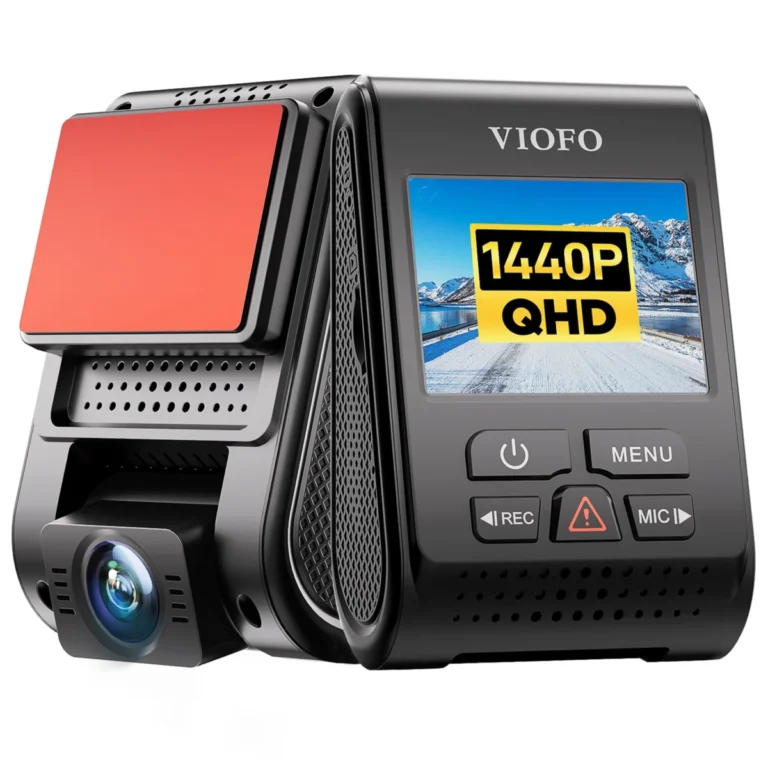
- Helps with: Front-only recording for a private commuter who wants a heat-tolerant camera and buffered parking mode.
- Why it fits: It records 2K at up to 60 fps from a Sony STARVIS IMX335 sensor with HDR, uses a supercapacitor instead of a lithium battery, and its buffered parking mode saves the 15 seconds before and 30 seconds after an event.
- Keep in mind: It is a single front channel, so it cannot document a rear-end collision or an interior incident, and parking mode requires the separately sold VIOFO HK3 hardwire cable.
Does Florida law require consent to record audio on a dash cam?
Florida is a two-party consent state for audio recording, which means a private conversation generally requires the consent of everyone involved before it is recorded. Video of a public road is a different matter from audio of a conversation inside your own car, so the microphone is where a dash cam owner in Florida should be most careful. This is the single most misunderstood part of dash cam laws in Florida, and it is why many experienced owners simply turn the microphone off.
For a solo commuter, the practical exposure is small, because there is rarely a private conversation to capture. For rideshare, taxi and delivery drivers, the situation changes: passengers are in the car, and their speech can be recorded. Interior cameras are widely used by rideshare drivers as a deterrent and for incident documentation, but the audio setting deserves its own decision rather than being left at the default.
The simplest approach is to mute the microphone or disable audio recording in the camera menu and rely on video only. If you want sound, tell passengers they are being recorded, or post a visible notice, and check your own state's consent rules and your platform's policy before relying on the recording. A camera with a built-in microphone makes this a setting, not a hardware choice.
Video and audio are separate switches on most cameras, so muting the microphone does not affect the picture. That distinction matters when comparing models: a camera with an interior channel and infrared LEDs can document a passenger incident without recording a word.
Helpful tool
COOAU D30S
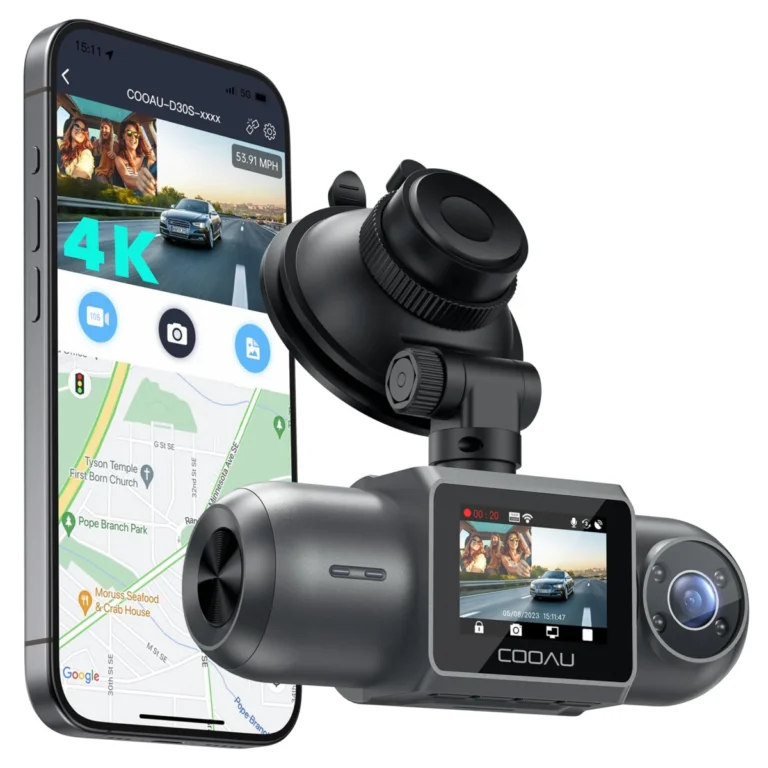
- Helps with: Interior and front coverage for rideshare, taxi and delivery drivers who need passenger incidents documented.
- Why it fits: It records front and interior channels with infrared LEDs for the cabin in darkness, uses a Sony STARVIS 2 sensor and a supercapacitor, and supports parking monitoring modes with impact, motion and time-lapse options.
- Keep in mind: GPS is an optional module sold separately, parking mode requires a hardwire kit, and the interior audio setting still needs to be handled with Florida's consent rule in mind.
Can you use dash cam footage as evidence in Florida?
Dash cam footage can be used as evidence in Florida, but it supports a claim rather than guaranteeing one. In practice, footage is shared in two directions after a crash: with law enforcement, who may review it while writing a report, and with an insurer, who may request it during a claim. Whether it is ultimately accepted, and how much weight it carries, is decided by the officer, the adjuster or the court, not by the camera owner.
What makes footage useful is legibility and context. A clip that clearly shows the other vehicle's plate, the lane position and the moment of impact does more work than a high-resolution clip that is too dark or too shaky to read. A GPS stamp that overlays speed, time and location on the file adds a documented timeline, which is why GPS is worth prioritizing over a marginally sharper image.
Night performance is where most footage fails. Headlight glare, motion blur and dark plates are the common problems, and they are addressed by the image sensor and HDR processing rather than by resolution alone. A Sony STARVIS or STARVIS 2 sensor with HDR is the specification to look for if your driving is mostly after dark.
Storage discipline matters too. Loop recording overwrites the oldest files as the card fills, so an event you want to keep should be locked by the G-sensor or saved to your phone before the card cycles. A high-endurance microSD card rated for continuous writing is the safer choice in a camera that runs every trip.
Helpful tool
ROVE R2-4K Dual
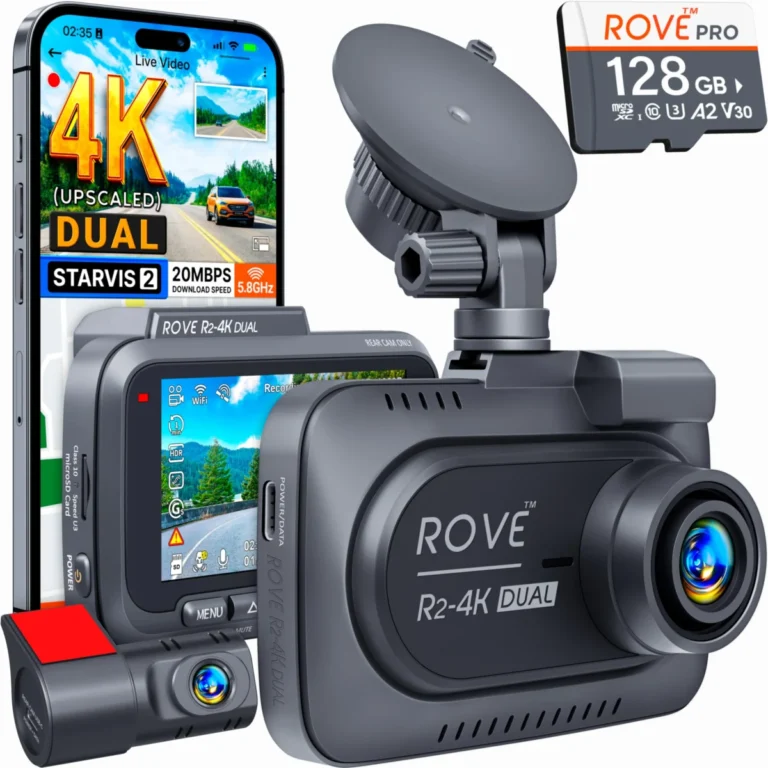
- Helps with: Front and rear coverage for a driver who wants both directions documented and fast phone transfer of clips.
- Why it fits: It pairs a Sony STARVIS 2 IMX675 front sensor with HDR and a 1080p rear camera, includes a 128 GB card, supports a CPL filter for windshield glare, and uses a supercapacitor for heat tolerance.
- Keep in mind: The 4K front figure is upscaled from 2.5K rather than native, parking mode needs a hardwire kit sold separately, and the rear cable may be short for long SUVs and trucks.
Is parking mode legal in Florida and will it drain the battery?
Parking mode is legal in Florida, and it is one of the most useful features for a state where a hit-and-run in a parking lot is a realistic risk. The feature keeps the camera watching while the car is off, either recording continuously in a low-bitrate or time-lapse format, or waking on motion or impact.
Buffered parking mode is the most valuable version, because it saves the seconds before an impact as well as the seconds after, which is often the part that shows who hit whom.
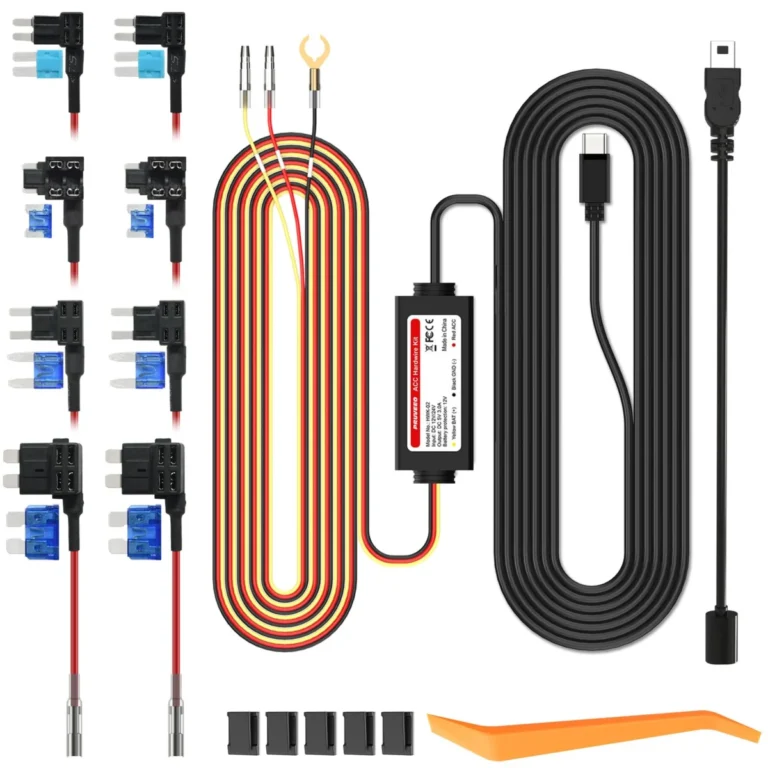
The battery question is the real constraint. A camera running off the 12V socket loses power when the ignition is off, so parking mode requires a hardwire kit or an OBD power cable that keeps the camera fed from the car's battery. Those cables include a low-voltage cutoff that shuts the camera down before the battery drops too far to start the engine.
Without that cutoff, a camera can flatten a battery during a long airport parking stay or a weekend away. With it, the camera runs until the voltage threshold is reached and then stops, which is the behavior you want. If you park on the street overnight or leave a car outside for days, budget for the hardwire kit at the same time as the camera.
Impact-only and motion-triggered modes draw less power than continuous low-bitrate recording, so they stretch the available parking time. Time-lapse at a low frame rate is the middle ground: it compresses hours into a short file and uses less card space than continuous recording.
Why heat matters more than almost anything else in Florida
A parked car in a Florida summer reaches temperatures that shorten the life of any electronics, and a dash cam sits on the windshield in direct sun, which is the worst possible spot. The component that decides whether a camera survives that treatment is its power source. A supercapacitor stores energy without the chemical reactions of a lithium battery, so it tolerates heat far better and is the specification to look for in a camera that lives on a Florida windshield.
Lithium battery cameras are common at lower price points and work fine in mild climates, but a battery that is repeatedly cooked on hot glass ages faster and can swell or fail. If your car sits outside at work all day, or you are a snowbird who leaves a vehicle parked through the summer, heat tolerance should outrank extra features in your decision.
Heat also affects the recording itself. Cards can slow or fail under sustained high temperatures, which is why a high-endurance microSD card is worth the small premium over a standard card in a camera that records every trip. Some cameras add built-in thermal protection that shuts the unit down before it overheats, which is a reasonable safeguard but also means footage stops during the hottest part of the day.
The practical ranking for Florida is straightforward: heat-tolerant power first, a heat-rated high-endurance card second, and only then the resolution and convenience features. A camera that shuts down in July is not protecting anyone in August.
Which dash cam features fit Florida driving?
Channel count is the first decision, and it follows from how you use the car. A private commuter needs one front camera. A driver who wants rear-end collisions documented needs front and rear channels. A rideshare, taxi or delivery driver needs an interior camera as well, because passenger incidents happen inside the car and a front-facing lens cannot see them.
For night plate legibility, the sensor matters more than the number on the box. A Sony STARVIS or STARVIS 2 sensor with HDR handles headlight glare and dark plates better than a higher-resolution camera with weaker low-light processing. A CPL filter is the other Florida-specific accessory worth considering, because it cuts dashboard reflections and glare off the windshield, which is a constant problem in strong sun.
Storage should be sized to the camera. A 256 GB high-endurance microSD card is a common ceiling for single-channel cameras, while dual and triple-channel models with more data to write often support larger cards. Loop recording means the card does not need to hold everything, only enough that an event is still on it when you get home.
Finally, decide how you want to retrieve footage. Wi-Fi transfer to a phone app is the fastest way to save a clip before the card overwrites it, and GPS overlays speed, time and location on the file. Those two conveniences are what turn a recording into something you can actually hand to an officer or an adjuster.
How to install a dash cam in Florida without legal or wiring problems
Installation comes down to three power choices. The 12V socket is the simplest and needs no tools, but it loses power with the ignition, so parking mode will not work. A hardwire kit taps a fused circuit and adds the low-voltage cutoff that protects the battery, which is the right choice if you want parking mode. An OBD power cable plugs into the diagnostic port and provides the same switched power and cutoff with less wiring work.
Cable routing is the part that decides whether the install looks clean. Run the power cable up from the camera to the headliner, tuck it behind the trim, and drop it down the A-pillar to the socket or fuse box. For a rear camera, the cable runs along the headliner to the back glass, and long SUVs and trucks may need a longer cable than the one in the box.
Before you rely on the footage, confirm two things about your own situation: that the camera position does not obstruct your view under your state and local rules, and that your audio setting matches Florida's two-party consent requirement. Neither is a reason to skip a dash cam, but both are decisions to make deliberately rather than by default.
Once installed, verify the camera starts and stops with the ignition, that the card is recording, and that the GPS has locked before you drive away. A camera that was never recording is the most common reason a driver has no footage after an incident.
- Decide on power first: 12V socket for driving-only recording, hardwire kit or OBD cable for parking mode.
- Mount the camera high and behind the rearview mirror, then confirm it does not enter your view of the road.
- Route the cable along the headliner and down the A-pillar trim to the power source.
- Run the rear or interior camera cable along the headliner to the back glass, checking length before you commit.
- Set the microphone to your preferred audio mode and confirm the recording indicator and GPS lock before driving.
Avoid these
Common mistakes to avoid
- Assuming a dash cam needs a permit or registration in Florida. No permit or registration is required for private use; the rules that matter are windshield placement, audio consent and how footage is used.
- Leaving the microphone on by default in a car that carries passengers. Florida requires consent from everyone involved before recording a private conversation, so mute the microphone or notify passengers and check your state's rules.
- Mounting the camera in the middle of the windshield or low in the driver's line of sight. Place it high and behind the rearview mirror, inside the area the mirror already occupies, so the driver's view stays clear.
- Expecting parking mode to work from the 12V socket. Parking mode needs a hardwire kit or OBD power cable with low-voltage cutoff, which also prevents the camera from flattening the car battery.
- Buying on resolution alone and ignoring heat and sensor type. Prioritize heat-tolerant power and a Sony STARVIS or STARVIS 2 sensor with HDR, then compare resolution.
As an Amazon Associate we earn from qualifying purchases. This never changes which products we recommend.
See also: 7 Dash Cams Ranked for Commuters, Rideshare Drivers and Street Parkers; Dash Cam Laws in California: Where You Can Mount One and What You Can Record; Dash Cam Laws in Texas: Mounting, Audio and Footage Rules.
Common questions
Frequently asked questions
Do you need a permit or registration for a dash cam in Florida?
No. The obligations that apply are about where the camera is mounted, whether the microphone records other people, and how the footage is shared afterward.
Can a dash cam get you a ticket in Florida?
The camera itself is not the violation; an obstructed windshield can be. A camera mounted high behind the rearview mirror, inside the area the mirror already covers, is the placement that keeps the driver's view clear. Check your local rules, since enforcement practices vary.
Can I record passengers in my car in Florida?
Florida requires consent from all parties before recording a private conversation, so audio of passengers is the sensitive part, not the video. Many rideshare and delivery drivers mute the microphone and rely on an interior camera for visual documentation, and platform policies may add their own requirements.
Will a dash cam survive a Florida summer parked outside?
A camera with a supercapacitor has a clear advantage over one with a lithium battery, because it tolerates heat without the chemical aging that affects batteries. A high-endurance microSD card and any built-in thermal protection the camera offers also help. Even so, expect a windshield-mounted camera to live a harder life in Florida than in a mild climate.
How long does a dash cam keep footage before it overwrites it?
Loop recording overwrites the oldest files once the card fills, so retention depends on card capacity, resolution and how many channels are recording. A 256 GB card holds more than a 64 GB card, but a three-channel camera writes data faster. Lock an event with the G-sensor or save it to your phone before the card cycles.
Can my insurance company ask for my dash cam footage?
An insurer can request footage during a claim, and sharing it is generally your choice unless a legal process requires otherwise. Footage supports a claim rather than guaranteeing an outcome, so clear plates, a GPS speed stamp and an intact timeline are what make it useful.
Next step
Decide your channel count first, then match the camera to Florida conditions: a single front camera with a supercapacitor and a STARVIS sensor for a commuter, a front and rear model if you want rear-end collisions documented, or a three-channel camera with an interior lens if you carry passengers. Budget for a hardwire kit or OBD power cable at the same time if you want parking mode to work.
Keep reading
How to Set Up Dash Cam Parking Mode: Wiring, Cutoff and Settings
To set up dash cam parking mode, give the camera a constant power source (a fused fuse-box connection or an OBD cable,…
Does a Dash Cam Lower Car Insurance? What It Really Saves
A dash cam usually does not lower your car insurance premium. Most insurers do not treat a camera as a rating factor,…
Dash Cam Laws in Texas: Mounting, Audio and Footage Rules
Dash cams are legal in Texas for private drivers recording from their own vehicle, and dash cam laws in Texas impose no…