How to Install a Dash Cam: Clean Wiring, Safe Power and a Working Rear Camera
Published October 15, 2026
Quick answer
To install a dash cam, mount it high on the windshield within the wiper sweep, run the power cable behind the headliner and down the A-pillar to a 12V socket or a hardwire kit, then route the rear camera cable along the door sills. Format the microSD card, set the time zone and GPS, aim the lens, and test both channels before relying on the footage.
Table of contents13 sections · tap to expand
Key takeaways
- Mount the dash cam high on the windshield, within the wiper sweep and away from the airbag zone.
- Use a hardwire kit with low-voltage cutoff for parking mode; a 12V socket only powers the camera while the car is running.
- Route cables behind the headliner and A-pillar trim without crossing the airbag; use a plastic pry tool to avoid breaking clips.
- For SUVs and trucks, check rear cable length before buying; many kits are 11.5 to 13.1 feet.
- After installation, format the card, set the time zone, aim the lens, and test parking mode and G-sensor sensitivity.
As an Amazon Associate we earn from qualifying purchases. This never changes which products we recommend.
Recommended products
Products that fit this
| Product | Best for | Where to buy |
|---|---|---|
| ROVE Ultimate Hardwire Kit | Hardwiring a ROVE dash cam for 24-hour parking monitoring. | Check price on Amazon |
| Vantrue 11.5ft USB-C Hardwire Kit | Hardwiring any Vantrue dash cam for parking mode. | Check price on Amazon |
| VIOFO HK4 Hardwire Kit | Hardwiring a VIOFO dash cam with selectable voltage cutoff. | Check price on Amazon |
What you need before you start a dash cam install
Gather these items before touching the car: the dash cam, its mount, a microSD card (high-endurance, 32GB to 256GB), a plastic pry tool, a microfiber cloth, isopropyl alcohol wipes, and a cable routing tool or zip ties. If you plan to use parking mode, you also need a hardwire kit or OBD power cable with low-voltage cutoff.
Check that the microSD card is formatted for the dash cam, not just for a computer. Most dash cams require FAT32 or exFAT; the camera's own format function is the safest way to prepare the card. A high-endurance card is designed for constant write cycles and is less likely to fail than a standard card.
For a front-and-rear setup, confirm the rear camera cable is long enough for your vehicle. Sedans typically need 15 to 20 feet; SUVs and trucks may need more. If the included cable is too short, you will need an extension or a different kit.
If you are hardwiring, identify a constant power fuse and an accessory (ACC) fuse in your car's fuse box. A fuse tap lets you add a circuit without cutting factory wires. The hardwire kit's manual will show which wire goes to constant power, which to ACC, and which to ground.
Where to mount a dash cam on the windshield
Mount the dash cam high on the windshield, near the top center or slightly to the passenger side, so the lens sits within the wiper sweep and has a clear view of the road. Avoid the driver's direct line of sight and any area covered by the sun visor.
Keep the camera away from the airbag zone. The passenger-side airbag deploys from the dashboard or the roof rail, and a camera mounted in its path could become a projectile. The owner's manual shows the airbag deployment area; stay clear of it.
Check local laws for windshield placement. Some states prohibit mounting anything on the windshield, while others restrict the size or location. A small camera behind the rearview mirror is often the least conspicuous option, but you must verify what is allowed where you drive.
Clean the glass with isopropyl alcohol before applying an adhesive mount. Suction mounts can fail in high heat; if you park in the sun, an adhesive mount or a dash cam with a supercapacitor (rather than a lithium battery) is more likely to hold up.
How to power a dash cam: 12V socket, hardwire kit or OBD
A 12V socket (cigarette lighter) is the simplest power source: plug in the included cable and the camera runs when the car is on. It does not support parking mode because the socket loses power when the ignition is off. This is the right choice for a first front-only dash cam and for drivers who do not need overnight monitoring.
A hardwire kit connects the dash cam directly to the fuse box, providing constant power for parking mode and hiding the cable for a clean install. It includes a low-voltage cutoff that cuts power when the car battery drops to a set voltage (for example, 11.6V or 12V on a 12V vehicle), preventing deep discharge. Hardwiring is the only way to get 24/7 parking surveillance without draining the battery.
An OBD power cable plugs into the OBD-II port under the dashboard and provides a similar constant power feed with low-voltage protection. It is easier to install than a fuse tap because no fuse box access is needed, but it occupies the OBD port and may not fit if the port is already in use.
Choose a hardwire kit made for your dash cam brand and model, because connector type and voltage behavior differ between makers. The ROVE Ultimate Hardwire Kit is designed for ROVE R2-4K, R2-4K PRO, R2-4K DUAL, R2-4K DUAL PRO, and R3 dash cams with USB-C, and includes fuse taps and a volt meter.
The Vantrue 11.5ft USB-C Hardwire Kit works with all Vantrue dash cams and provides dual-stage undervoltage protection (11.6V for 12V vehicles, 23.2V for 24V vehicles). The VIOFO HK4 Hardwire Kit fits VIOFO A329 series, A229 series, A119Mini2, A139Pro, WM1, and T130 dash cams, with a 13.1-foot cable and four selectable voltage cut-off values.
How to hide the front dash cam cable
Route the front cable from the camera up into the headliner, then across to the nearest A-pillar. Tuck the cable behind the headliner using a plastic pry tool; the headliner is usually flexible enough to lift slightly without removing it.
Run the cable down the A-pillar behind the trim, but never across the airbag. The side-curtain airbag deploys from the A-pillar, and a cable in front of it can interfere. Route the cable behind the airbag or along the edge of the trim, then down to the dashboard and across to the fuse box or 12V socket.
If you must remove the A-pillar trim, check for clips and a tether. Trim clips break easily; a replacement clip set is inexpensive insurance. If a clip breaks, the trim may rattle, so fix it before reassembling.
For the 12V socket route, continue the cable under the dashboard, behind the glove box, and up to the socket. Use zip ties or adhesive clips to secure the cable away from moving parts like the steering column or pedals. Leave a small service loop near the camera so you can adjust the angle without pulling the cable tight.
- Plug the power cable into the dash cam.
- Lift the headliner edge with a pry tool and push the cable behind it, working from the camera toward the A-pillar.
- Route the cable down the A-pillar behind the airbag, not in front of it.
- Continue under the dashboard to the fuse box (hardwire) or 12V socket.
- Secure the cable with zip ties or adhesive clips and test that it does not interfere with pedals or steering.
How to install a rear camera and run its cable
Mount the rear camera on the rear window, high and centered, with the lens aimed through the glass. Clean the glass first. If the rear window has a defroster grid, avoid placing the adhesive mount directly over the lines, as this can damage them or weaken the bond.
Run the rear camera cable from the rear camera forward along the headliner, then down the C-pillar and along the door sills to the front unit. Tuck the cable behind the trim at the top of the doors and under the plastic sill plates. In many cars, the sill trim pulls up with light force; in others, you may need to remove a few clips.
For SUVs and trucks, measure the distance from the rear window to the front dash cam before buying. The Vantrue hardwire kit has an 11.5-foot cable, and the VIOFO HK4 has a 13.1-foot cable; these lengths are for power, not for the rear camera. Rear camera cables are usually longer, but if your vehicle is a long SUV or truck, check the included length or plan to buy an extension.
Avoid pinching the cable in door seals or hinges. Route it through the existing grommet between the body and the liftgate if possible. If you must cross a gap, leave a small loop so the cable can flex without stretching.
- Mount the rear camera on the rear window and connect the rear cable.
- Route the cable along the headliner to the nearest C-pillar.
- Tuck the cable behind the C-pillar trim and down to the door sill.
- Run the cable along the door sill trim to the front passenger area.
- Connect the cable to the front dash cam and secure any slack with zip ties.
How to set up the dash cam after installation
Format the microSD card in the dash cam before first use. This ensures the card is compatible with the camera's file system and reduces the risk of recording errors. Set the correct time zone and date so that footage timestamps are accurate for insurance or legal purposes.
Turn on GPS if your dash cam has it; GPS stamps speed and location on the video. Aim the lens so the horizon is roughly one-third from the top of the frame, giving a clear view of the road and license plates. Check the live view on the camera screen or phone app while adjusting.
Enable parking mode if you hardwired the camera. Choose buffered parking mode if available, which records a few seconds before an impact. Set the G-sensor sensitivity to a level that locks event files on impact but does not fill the card with false triggers. Loop recording should be on so old footage is overwritten automatically.
- Insert the microSD card and format it in the camera menu.
- Set the correct time zone, date, and time.
- Turn on GPS and any speed stamping.
- Aim the lens and check the live view.
- Enable parking mode and set G-sensor sensitivity.
- Confirm loop recording is on.
How to test parking mode and check your footage
After hardwiring, test the low-voltage cutoff by parking the car and letting the camera run in parking mode. Check the voltage reading on the hardwire kit or in the camera app; when the battery drops to the set cutoff (for example, 11.6V or 12V), the camera should shut off. If it does not, verify the constant power and ground connections.
Review footage from both channels on a computer or phone. Check that the front camera captures license plates at a reasonable distance and that the rear camera has a clear view. At night, look for glare and adjust the angle or add a CPL filter if needed.
Test the G-sensor by tapping the camera or the windshield near the mount; the event should lock the file. If the G-sensor is too sensitive, it will lock many files and fill the card; if it is not sensitive enough, it may miss impacts. Adjust in the menu.
Confirm that the camera switches to parking mode when the ignition is off and back to normal recording when the engine starts. This ACC detection is a feature of hardwire kits like the VIOFO HK4 and the Vantrue kit.
Dash cam laws and installation mistakes to avoid
Windshield placement rules vary by state and country. Some prohibit any obstruction; others allow a small device near the top or behind the mirror. Audio recording consent laws also vary; some jurisdictions require all-party consent. Check local regulations before recording audio.
Never route a cable in front of an airbag. The A-pillar and roof rail are common airbag locations. A cable that crosses the deployment path can interfere with the airbag or become a projectile. Route behind the airbag or along the edge of the trim.
Do not pinch cables in door seals or hinges. A pinched cable can short or break, and it may damage the seal. Use existing grommets and leave slack for movement. If a trim clip breaks, replace it; a loose panel can rattle and may not protect the cable.
For a first front-only install on a 12V socket, the ROVE Ultimate Hardwire Kit is not needed; use the included 12V cable. For parking mode, the ROVE kit fits ROVE R2-4K, R2-4K PRO, R2-4K DUAL, R2-4K DUAL PRO, and R3 dash cams. The Vantrue kit fits all Vantrue dash cams, and the VIOFO HK4 fits VIOFO A329 series, A229 series, A119Mini2, A139Pro, WM1, and T130. Choose the kit that matches your dash cam brand and model.
Avoid these
Common mistakes to avoid
- Mounting the dash cam in the airbag deployment zone or in the driver's line of sight. Mount high on the windshield, within the wiper sweep, and away from the airbag area shown in the owner's manual.
- Routing the cable in front of the side-curtain airbag along the A-pillar. Route the cable behind the airbag or along the edge of the trim, never across the deployment path.
- Using a standard microSD card instead of a high-endurance card. Use a high-endurance card designed for constant write cycles, and format it in the dash cam before use.
- Hardwiring without checking the low-voltage cutoff. After installation, test that the hardwire kit cuts power at the set voltage to avoid draining the car battery.
- Pinching the rear camera cable in a door seal or hinge. Route the cable through existing grommets and leave a small loop for flex; avoid forcing it through tight gaps.
Useful tools
Tools that help
As an Amazon Associate we earn from qualifying purchases. This never changes which products we recommend.
Helpful tool
ROVE Ultimate Hardwire Kit
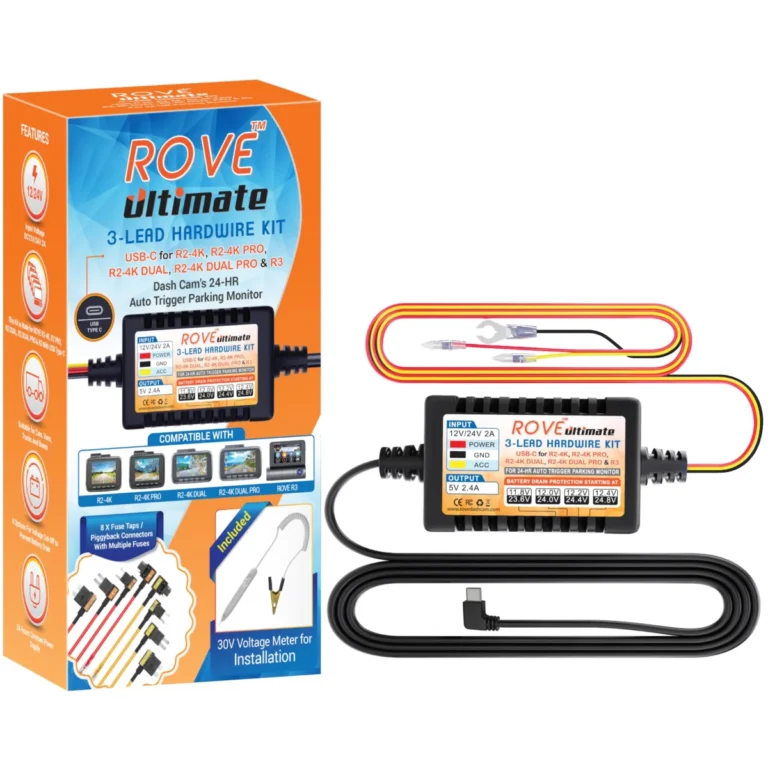
- Helps with: Hardwiring a ROVE dash cam for 24-hour parking monitoring.
- Why it fits: It includes fuse taps and a volt meter, so the install stays clean and you can read battery voltage while you set the cutoff.
- Keep in mind: It only works with compatible ROVE models, not other brands.
Helpful tool
Vantrue 11.5ft USB-C Hardwire Kit
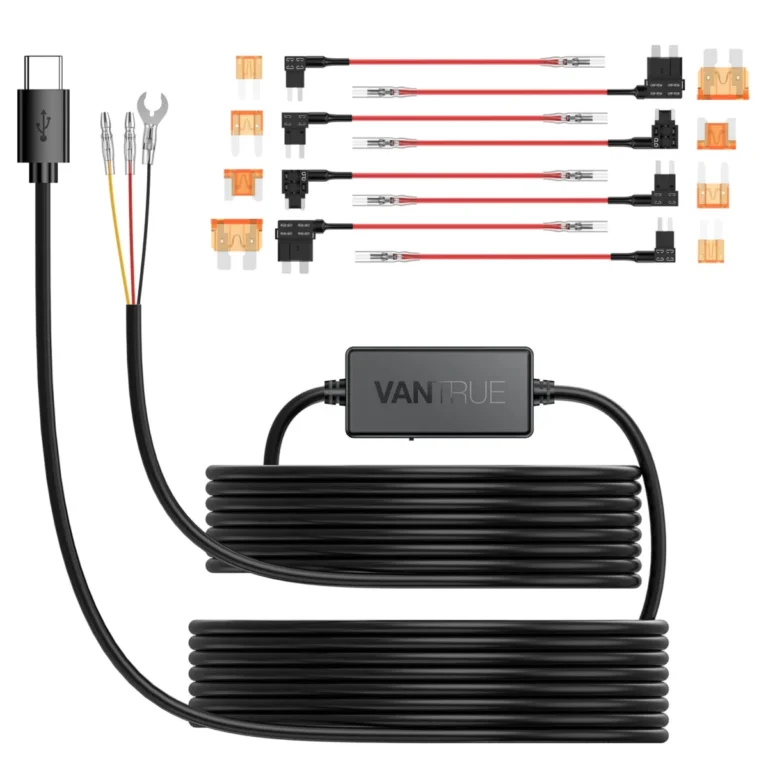
- Helps with: Hardwiring any Vantrue dash cam for parking mode.
- Why it fits: It works with all Vantrue USB-C dash cams and its 11.5-foot cable reaches the fuse box in most sedans and crossovers.
- Keep in mind: It is not compatible with dash cams from other brands.
Helpful tool
VIOFO HK4 Hardwire Kit
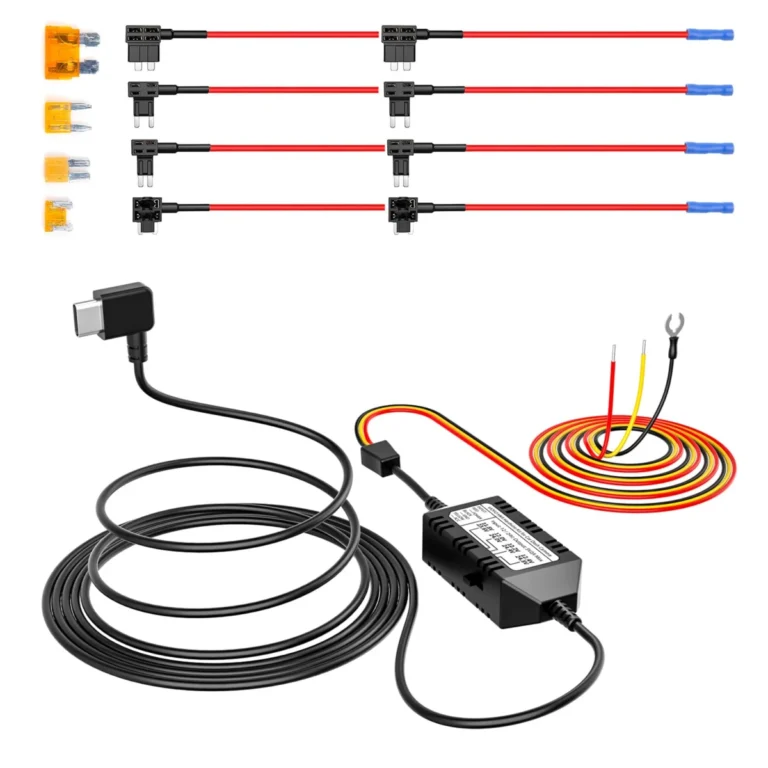
- Helps with: Hardwiring a VIOFO dash cam with selectable voltage cutoff.
- Why it fits: It fits VIOFO A329 series, A229 series, A119Mini2, A139Pro, WM1, and T130 dash cams, has a 13.1-foot cable, and lets you set one of four voltage cut-off values.
- Keep in mind: It requires separate fuse taps if not bought in the full set, and it only works with listed VIOFO models.
See also: 7 Dash Cams Ranked for Commuters, Rideshare Drivers and Street Parkers.
Common questions
Frequently asked questions
Can I install a dash cam without hardwiring it?
Yes. Plug the dash cam into the 12V socket with the included cable. The camera will run when the car is on, but parking mode will not work because the socket loses power when the ignition is off. This is the simplest option for a first front-only dash cam.
How do I hide dash cam wires without removing trim?
Use a plastic pry tool to lift the headliner and door sill trim just enough to tuck the cable behind it. You can also use adhesive cable clips along the dashboard. Avoid forcing the cable into tight gaps, which can pinch or damage it.
Will a hardwire kit drain my car battery?
A hardwire kit with low-voltage cutoff will not drain the battery under normal conditions. It monitors the battery voltage and cuts power when it drops to a set level, such as 11.6V or 12V on a 12V vehicle. Without this protection, parking mode could discharge the battery.
How long does a dash cam installation take?
A front-only 12V socket install takes about 15 to 30 minutes. A front-and-rear hardwired installation with hidden cables typically takes 1 to 2 hours, depending on the vehicle and your experience with trim removal. Testing and aiming add a few minutes.
Do I need a rear camera on my dash cam?
A rear camera is useful for rideshare and fleet drivers, and for anyone who wants evidence in a rear-end collision. If you only need forward coverage, a front-only dash cam is simpler and cheaper to install. Rear cameras add cable routing time and may require a longer cable for SUVs and trucks.
What microSD card should I use in a dash cam?
Use a high-endurance microSD card from a reputable brand, sized 32GB to 256GB. High-endurance cards are designed for constant write cycles and are more reliable than standard cards. Format the card in the dash cam before first use to ensure compatibility.
Next step
Decide whether you need parking mode: if you do, choose a hardwire kit that matches your dash cam brand and supports low-voltage cutoff, such as the ROVE Ultimate for ROVE models, the Vantrue 11.5ft USB-C kit for Vantrue dash cams, or the VIOFO HK4 for VIOFO A329/A229/A119Mini2/A139Pro/WM1/T130. If you do not need parking mode, start with the 12V socket and upgrade later.
Keep reading
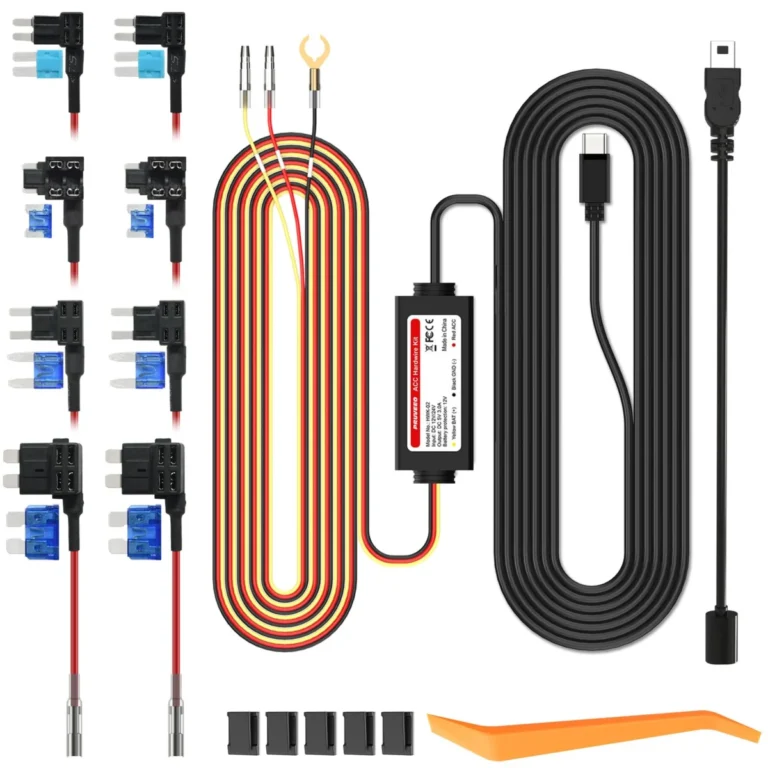
How to Set Up Dash Cam Parking Mode: Wiring, Cutoff and Settings
To set up dash cam parking mode, give the camera a constant power source (a fused fuse-box connection or an OBD cable,…
Does a Dash Cam Lower Car Insurance? What It Really Saves
A dash cam usually does not lower your car insurance premium. Most insurers do not treat a camera as a rating factor,…
Dash Cam Laws in Texas: Mounting, Audio and Footage Rules
Dash cams are legal in Texas for private drivers recording from their own vehicle, and dash cam laws in Texas impose no…