Garmin Dash Cam Mini 3 Review: What It Records, What It Misses, and Who Should Buy It
Published October 15, 2026
As an Amazon Associate we earn from qualifying purchases. This never changes which products we recommend.
Verdict
Worth considering
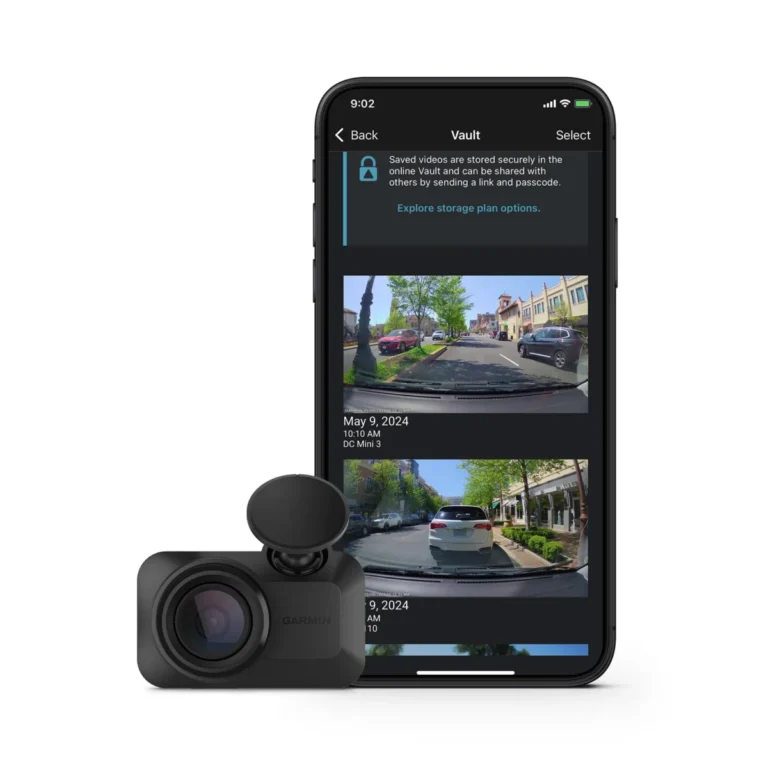
The Garmin Dash Cam Mini 3 is a strong choice for drivers who want a nearly invisible front dash cam with voice control and a glare-reducing polarizer. Its 1080p 24 fps video and app-only operation mean it is not the best pick for plate reading at speed or for anyone who wants a screen or rear coverage. Buy it if discretion and simplicity matter more than maximum detail.
- Best for: Drivers who want a dash cam that is virtually invisible from outside the car and never blocks the view, New car owners adding a first dash cam without running cables across the dashboard, Hot-climate drivers who want a supercapacitor instead of a lithium battery
- Not for: Rideshare or delivery drivers who need interior coverage, Buyers who want a screen for immediate playback or a rear camera for full coverage, Drivers who want parking surveillance without a subscription or hardwire kit
Key takeaways
- The Garmin Dash Cam Mini 3 records a single front channel at 1080p and 24 fps, with a 140-degree field of view and HDR for night video.
- It has no screen, no rear camera and no built-in battery; setup, clip review and firmware updates all run through the Garmin Drive app on your phone.
- Parking guard notifications require a paid Vault subscription, constant power and an active Wi-Fi connection, so the camera alone does not provide parking surveillance.
- The main drawback is the 24 fps frame rate, which can make fast-moving plates harder to read than a 30 fps or 60 fps camera.
Table of contents13 sections · tap to expand
The Garmin Dash Cam Mini 3 is an ultracompact, key-sized dash camera that records 1080p HD video from a single front channel. It is designed to mount behind your rearview mirror and go unnoticed, with a built-in polarizer to cut windshield glare and voice control for hands-free operation. This garmin dash cam mini 3 review explains what it records, what it leaves out and who should buy it.
Is it worth it? For drivers who prioritize a clean, hidden installation and want a reliable front-facing camera for incident footage, yes. The Mini 3 is a meaningful upgrade over the Mini 2 thanks to its polarizer and HDR, but its 24 fps frame rate and app-only design mean it is not the best choice for every driver. If you need a screen, rear coverage or subscription-free parking alerts, look at a larger 2-channel or 3-channel model instead.
Specifications
Key specifications
| Specification | Detail | Why it matters |
|---|---|---|
| Channels | 1 (front only) | It records only the road ahead, so you get no rear or interior coverage for rear-end collisions or rideshare incidents. |
| Front video | 1080p (Full HD) | 1080p is enough for general incident footage but gives you less detail for reading plates than a 2K or 4K camera. |
| Frame rate | 24 fps (max) | A lower frame rate can blur fast-moving objects, making plates harder to read at speed or in low light. |
| Field of view | 140° | A 140-degree lens covers multiple lanes without the distortion that wider lenses can introduce. |
| Wi-Fi | Wi-Fi app | You need the Garmin Drive app on your phone to set up the camera, review clips and install firmware updates. |
| Night video | HDR | HDR helps balance bright headlights and dark shadows, but the 2.1 MP sensor still limits fine detail at night. |
What the Garmin Dash Cam Mini 3 records
That combination covers the road ahead and captures general incident footage, but it is not designed to read license plates at speed or in low light.
The 2.1 megapixel CMOS sensor and HDR processing help balance exposure, yet the relatively low frame rate means fast-moving objects can blur. If plate legibility is your priority, a 2K or 4K camera with a higher frame rate will serve you better.
The camera automatically saves video of detected incidents using its G-sensor, which locks the clip so loop recording does not overwrite it. There is no rear or interior camera option, so the Mini 3 is strictly a front-facing device. For rideshare or delivery drivers who need to record passengers, a 3-channel camera like the COOAU D30S is a more complete solution.
Night video and the 2.1 MP sensor
Night video on the Garmin Dash Cam Mini 3 relies on HDR and the built-in Garmin Clarity polarizer, which reduces windshield glare from oncoming headlights and dashboard reflections. HDR helps the camera capture detail in both bright and dark areas of the frame, but the 2.1 megapixel sensor has less light-gathering area than the larger sensors found in premium dash cams.
In practice, you can expect usable footage of vehicles and road conditions, but reading a plate at night from a moving car is not guaranteed.
The polarizer is a genuine advantage for daytime clarity because it cuts glare that can wash out details on the windshield. However, a polarizer also reduces the light reaching the sensor, which can make night footage slightly darker. If most of your driving is at night and you need maximum plate detail, a camera with a Sony STARVIS 2 sensor and a higher frame rate, such as the COOAU D30S, will perform better in low light.
Parking mode and power: what you need to know
The Garmin Dash Cam Mini 3 supports parking guard notifications, but they require a paid Vault subscription, constant power and an active Wi-Fi connection. Constant power means the camera must be hardwired to your car's fuse box or connected via an OBD power cable, both of which should include a low-voltage cutoff to protect your battery. Without a hardwire kit, the camera will not run in parking mode at all.
The camera uses a supercapacitor instead of a lithium battery, which is a meaningful advantage in hot climates because supercapacitors tolerate high temperatures better and are less prone to swelling or failure. That said, parking mode still draws power from your car, so a low-voltage cutoff is essential to avoid a dead battery. If you want parking surveillance without a subscription, a camera like the IIWEY N5 offers time-lapse and impact detection parking modes with a separately sold hardwire kit.
Storage, loop recording and the included microSD card
The Garmin Dash Cam Mini 3 includes a 16 GB microSD card, which provides limited recording time before loop recording begins overwriting the oldest footage. At 1080p, 16 GB fills up quickly, often within a few hours of driving. Loop recording ensures you always have the most recent video, and the G-sensor locks event files so they are not overwritten.
High-endurance cards are designed for the constant write cycles that dash cams demand, and they last longer than standard cards. The Mini 3 supports microSD cards up to a capacity that Garmin specifies, but the exact maximum is not stated here. If you drive frequently or want to keep more than a day of footage, a larger high-endurance card is worth the small extra cost.
App connectivity and the Garmin Drive app
The Garmin Dash Cam Mini 3 has no screen, so setup, clip review and firmware updates all run through the Garmin Drive app on your smartphone via Wi-Fi and Bluetooth. The app lets you view a live feed, download clips and adjust settings. Without a paid Vault subscription, you can only view and download files when you are near the dash cam. With a subscription and an active Wi-Fi connection, you can access dash cam live view and online Vault storage for saved clips.
The app-only design is a tradeoff: it keeps the camera small and discreet, but it means you cannot review footage on the spot without your phone. Voice control lets you save video or start and stop audio recording with spoken commands, which is useful when you cannot reach the camera. The Mini 3 also supports synchronized viewing of up to four Garmin dash cams in the app, which is handy if you run multiple units across vehicles.
Does the Garmin Dash Cam Mini 3 need a subscription?
No, the Garmin Dash Cam Mini 3 works without a subscription for basic recording and incident saving. You can use the Garmin Drive app to view and download clips when you are near the camera, and voice control and loop recording function without any paid plan. The subscription, called Vault, adds online storage for saved clips, dash cam live view when you are away from the car, and parking guard notifications. Those features also require constant power and an active Wi-Fi connection.
If you only want a front-facing camera to record your drives and save incident footage, you can skip the subscription entirely. If you want remote access or parking alerts, factor the subscription cost into your decision. The camera itself does not require a subscription to record, so it remains useful even if you never sign up.
How to install the Garmin Dash Cam Mini 3
Installation starts with mounting the camera on your windshield using its adhesive mount, ideally behind the rearview mirror so it stays out of your line of sight and is hard to see from outside. Clean the glass first, then press the mount firmly and let the adhesive cure before attaching the camera.
Route the power cable along the headliner and down the A-pillar to a 12V socket or a hardwire kit. Tucking the cable into the trim keeps the install clean and avoids dangling wires across the dashboard.
For parking mode, you need a hardwire kit or an OBD power cable with a low-voltage cutoff, which connects to your fuse box and protects the car battery from draining. If you only want driving recording, the included 12V power cable is sufficient. Check your local laws about windshield placement and audio recording before you finalize the install, because rules vary by state and country.
Strengths and weaknesses
Pros and cons
Pros
- Ultracompact, key-sized design hides behind the mirror and is virtually invisible from outside the car
- Built-in Garmin Clarity polarizer reduces windshield glare for clearer daytime footage
- Voice control lets you save video and control audio recording hands-free
- Supercapacitor power source tolerates hot climates better than a lithium battery
- Garmin Drive app supports synchronized viewing of up to four dash cams
Cons
- Records only a single front channel at 1080p and 24 fps, which limits plate legibility at speed
- No screen, no rear camera and no built-in battery; all setup and review require a phone
- Parking guard notifications require a paid Vault subscription, constant power and Wi-Fi
- Included 16 GB microSD card fills quickly and should be replaced with a high-endurance card
Other options
Alternatives to consider
COOAU D30S
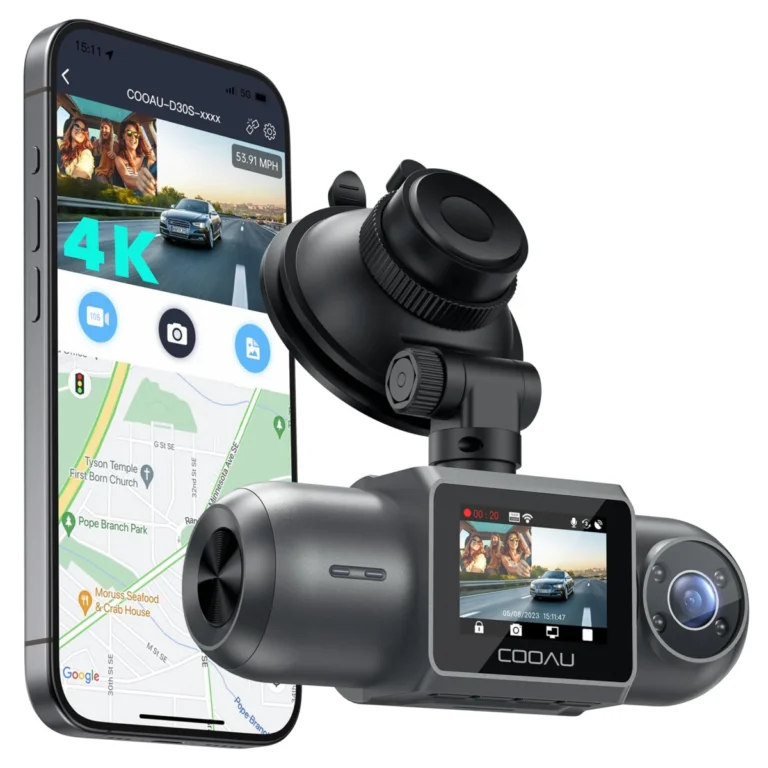
Choose the COOAU D30S if you need front, rear and interior coverage with infrared night vision and a Sony STARVIS 2 sensor for rideshare or delivery driving.
IIWEY N5
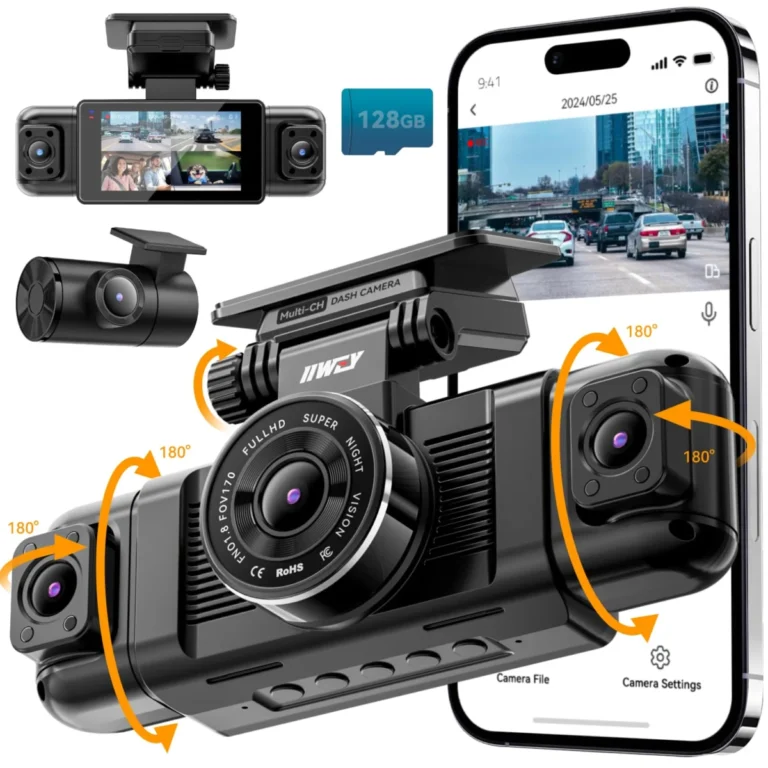
Choose the IIWEY N5 if you want a 3-inch screen, 360-degree coverage and built-in GPS without relying on a phone for setup and playback.
See also: Garmin vs Nextbase Dash Cam: Which Brand Fits Your Parking, Climate and Coverage Needs; 7 Dash Cams Ranked for Commuters, Rideshare Drivers and Street Parkers.
Common questions
Frequently asked questions
Is the Garmin Dash Cam Mini 3 worth it compared with the Mini 2?
The Mini 3 adds a built-in polarizer and HDR night video over the Mini 2, which makes it a worthwhile upgrade if glare and low-light clarity matter to you. Both cameras share the same ultracompact, single-channel 1080p design, so the core experience is similar. If you already own a Mini 2 and it works well, the upgrade is optional rather than essential.
Does the Garmin Dash Cam Mini 3 record audio?
Yes, the Garmin Dash Cam Mini 3 can record audio, and voice control lets you start or stop audio recording with spoken commands. Audio recording laws vary by state and country, so check your local rules before enabling it. Some jurisdictions require consent from passengers before you record audio in the car.
Can the Garmin Dash Cam Mini 3 run parking mode without a hardwire kit?
No, parking mode requires constant power, which means a hardwire kit or an OBD power cable with a low-voltage cutoff. The Mini 3 has no built-in battery, so it cannot monitor your car when unplugged. Parking guard notifications also require a paid Vault subscription and an active Wi-Fi connection.
What size microSD card does the Garmin Dash Cam Mini 3 need?
For longer retention, replace it with a high-endurance card, which is designed for the constant write cycles dash cams demand. A 32 GB or 64 GB high-endurance card is a practical upgrade for most drivers.
How long does the Garmin Dash Cam Mini 3 record before looping over old footage?
Recording time depends on the microSD card capacity and video bitrate. With the included 16 GB card, you may only keep a few hours of footage before loop recording begins overwriting the oldest files. A larger high-endurance card extends that window, and G-sensor event files are locked so they are not overwritten.
Does the Garmin Dash Cam Mini 3 work in extreme heat?
The Garmin Dash Cam Mini 3 uses a supercapacitor instead of a lithium battery, which tolerates high temperatures better and is less prone to swelling or failure in a hot parked car. That makes it a sensible choice for hot climates. Parking mode still draws power from your car, so a low-voltage cutoff is essential to protect the battery.
Bottom line
Should you buy the Garmin Dash Cam Mini 3?
The Garmin Dash Cam Mini 3 is a well-executed ultracompact dash cam for drivers who value discretion above all else. If you want a simple, reliable front-facing camera that you never have to think about, it is a solid choice.
However, its 1080p 24 fps video, single-channel design and subscription-gated parking alerts mean it is not the best fit for everyone. If you need rear or interior coverage, a screen or subscription-free parking surveillance, consider the COOAU D30S or the IIWEY N5 instead. For a first dash cam in a new car or a second unit for another vehicle, the Mini 3 is worth considering.
Keep reading
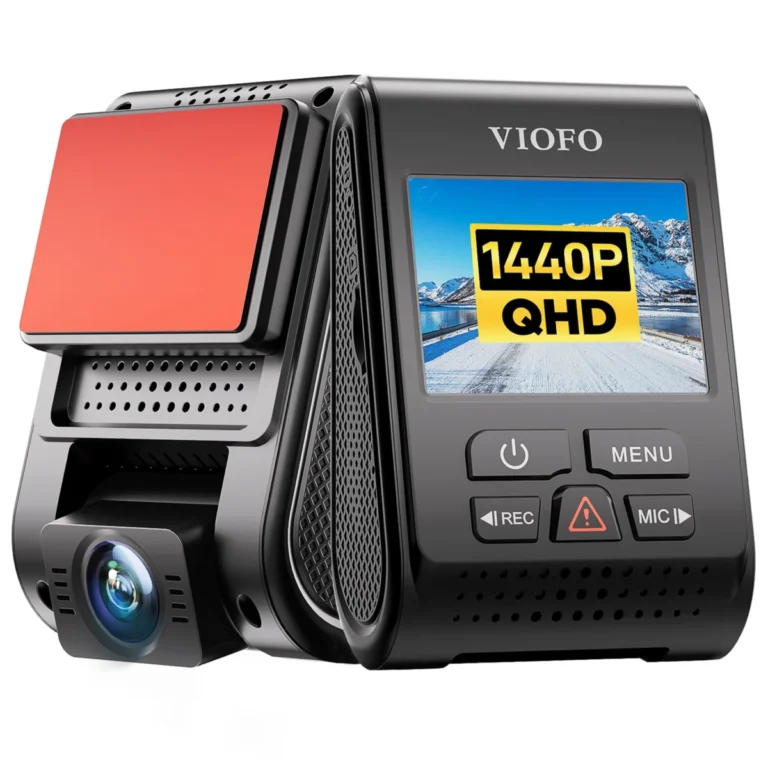
Viofo A119 V3 Review: Is a Front-Only 2K Dash Cam Still Worth It in 2026?
Viofo A119 V3 review: night video quality, parking mode and heat tolerance, honest pros and cons, and a clear verdict on who…
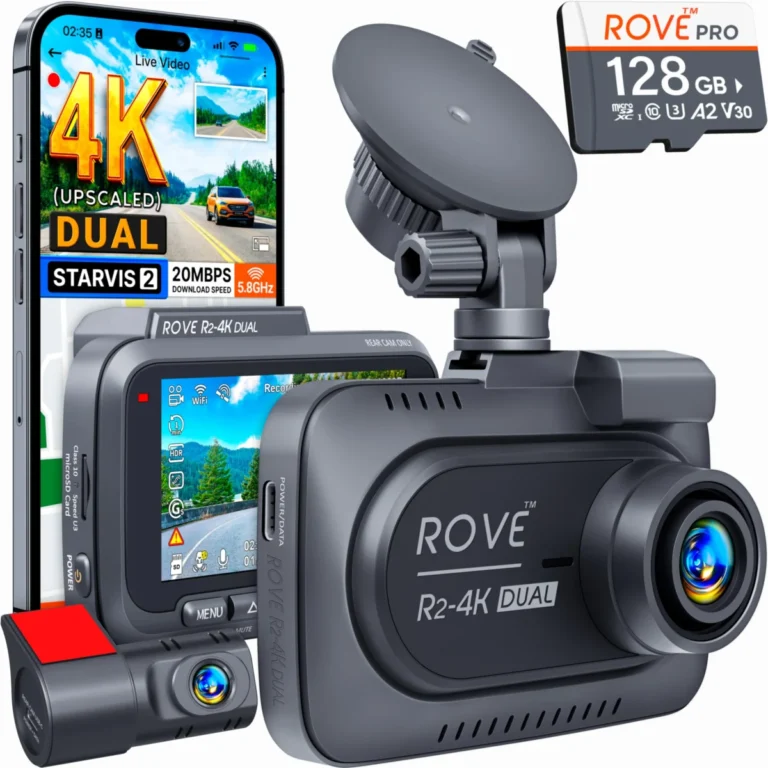
Rove R2 4K Review: Strong Front Footage, No Rear Camera
Is the Rove R2 4K worth it? Our review weighs front video resolution, night video and field of view, its pros and…
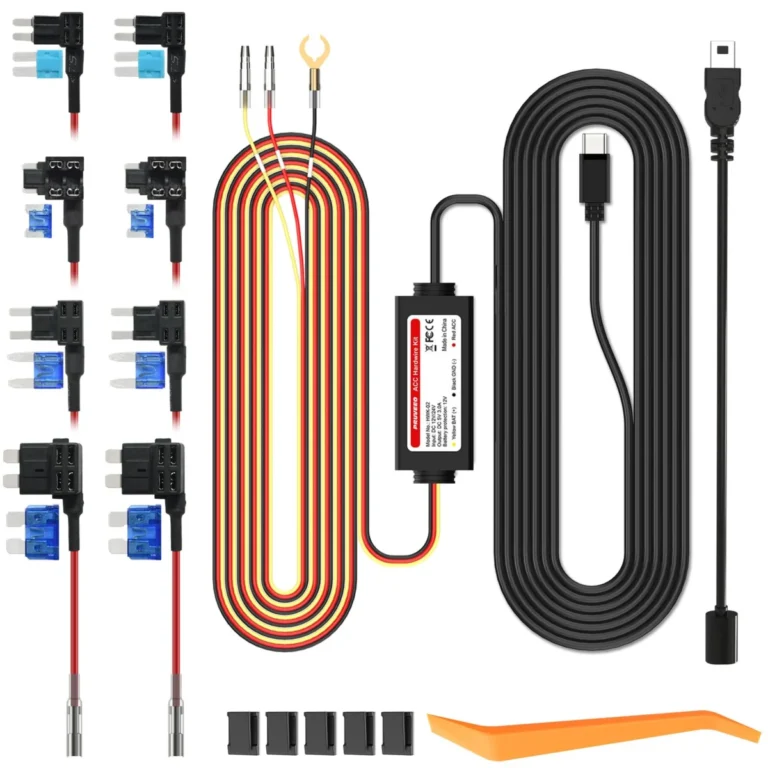
How to Set Up Dash Cam Parking Mode: Wiring, Cutoff and Settings
To set up dash cam parking mode, give the camera a constant power source (a fused fuse-box connection or an OBD cable,…